截至2026年5月的状态: 这是一个架构教程,不是复制粘贴的生产脚本。它分两种模式发布:
- 模拟模式 —
verifyErgoPayment()返回一个存根收据,因此Express服务器、402质询和代理客户端无需钱包即可端到端运行。使用此模式学习流程的形状。 - 测试网模式 — 将
verifyErgoPayment()连接到真实的浏览器/API查询,并通过Nautilus或sigma-rust对事务进行签名。教程会引导您进行更改。
这不是一份主网托管指南、不是生产安全蓝图,也不是部署审计合同或使用真实资金的建议。
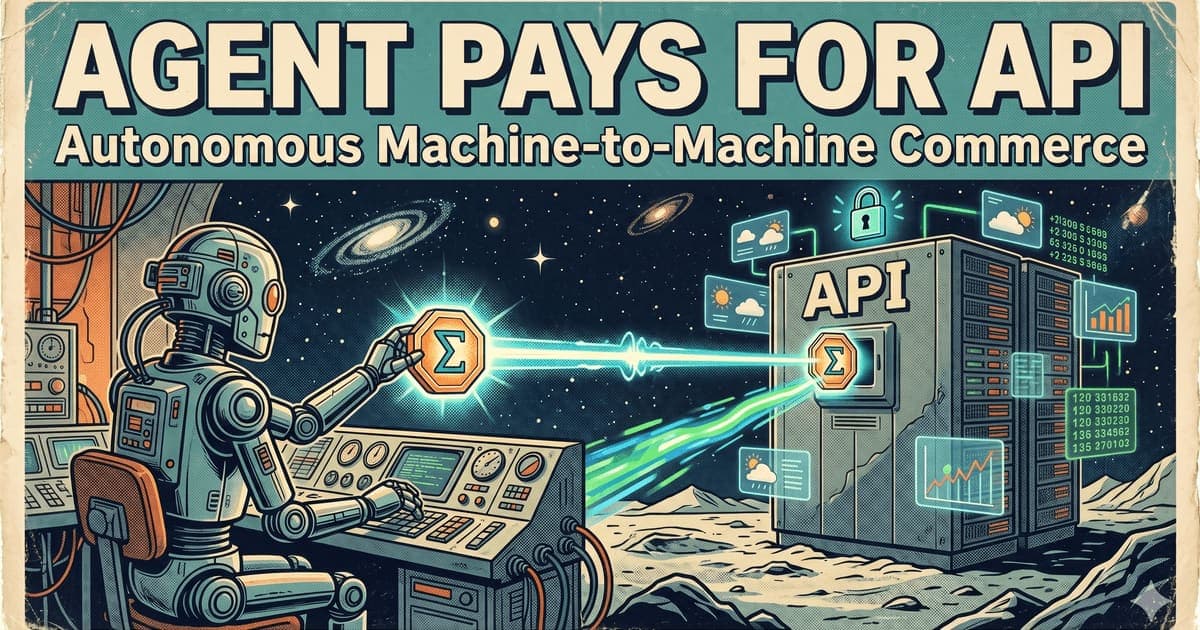
付款API调用听起来很简单。代理请求数据,服务器收取少量费用,代理付款,服务器返回结果。
实际上,大多数API仍然是向人类操作员收费。开发者创建账户,添加信用卡,获取API密钥,并支付发票。这对SaaS有效。但对于启动、调用工具、委托子任务并以机器速度结算成本的自主代理来说效果不佳。
本教程展示了最小化的测试网模式:
- 服务器暴露一个付款端点。
- 代理请求该端点。
- 服务器返回机器可读的付款要求。
- 代理创建或提交一个Ergo测试网付款。
- 服务器在链上验证该付款。
- 服务器返回付款的结果。
这在精神上类似于HTTP 402式付款流,但我们将保持实现简单并特定于Ergo。
您将构建什么
您将构建两个小部分:
- 一个付款Express API,具有
/price、/verify和/data端点。 - 一个测试网代理客户端,请求付款资源、为其付款、提交收据并接收结果。
您可以在两种模式下实现付款步骤:
初学者模式:手动签名
代理构建或请求付款事务,您使用测试网钱包对其进行签名,服务器验证提交的事务ID。这是理解流程的最安全方式。
无头模式:外部签名者
一个受控的签名服务或钱包模块在严格的策略限制下自动签署测试网事务。这更接近真实代理的工作方式,但它引入了密钥管理风险。
本文重点关注架构和验证。确切的SDK名称和API可能会随着Accord和Ergo参考系统的演进而改变,因此在将代码复制到项目之前,始终检查当前仓库。
前置条件
您需要:
- Node.js 20或更高版本。
- TypeScript或JavaScript基础经验。
- 一个Ergo测试网地址。
- 来自水龙头的少量测试网ERG。
- 一个Ergo测试网浏览器/API端点。
- 一个付款策略:价格、接收者地址、过期时间和重放规则。
可选:
- Accord Protocol仓库以获取示例。
- Fleet SDK或Ergo SDK用于事务构造。
- 一个测试网钱包,如Nautilus测试网模式或其他兼容签名者。
架构
一个强大的付款API不应该仅仅询问"这个钱包是否给了我钱?"它应该将付款绑定到特定的请求。
最简单的绑定是callId:
client -> GET /data?query=weather
server -> 402 Payment Required
server -> { callId, price, receiver, expiresAt, memoHash }
client -> sends payment with callId commitment
client -> POST /verify { callId, txId }
server -> checks tx output, amount, receiver, callId, expiry, replay
server -> marks callId as paid
client -> GET /data?callId=...
server -> returns result
没有callId,单笔付款可能会针对多个API调用进行重放。没有过期时间,旧的付款要求将永远有效。没有接收者和金额检查,代理可以提交一个不相关的事务。没有确认策略,服务器可能在结算充分最终之前就提供付款数据。
第1步:创建项目
mkdir ergo-paid-api-demo
cd ergo-paid-api-demo
npm init -y
npm install express zod nanoid
npm install --save-dev typescript tsx @types/node @types/express
创建一个最小化的tsconfig.json:
{
  "compilerOptions": {
    "target": "ES2022",
    "module": "ESNext",
    "moduleResolution": "Bundler",
    "strict": true,
    "esModuleInterop": true,
    "skipLibCheck": true
  }
}
第2步:定义付款要求
创建src/policy.ts:
export const PAYMENT_POLICY = {
  network: "ergo-testnet",
  receiverAddress: process.env.ERGO_RECEIVER_ADDRESS || "PUT_TESTNET_ADDRESS_HERE",
  priceNanoErg: 1_000_000n, // 0.001 ERG for demo only
  expiryMs: 10 * 60 * 1000,
  minConfirmations: 1
};
在生产环境中,永远不要硬编码地址或价格。从签名的策略文件或配置服务加载它们。
第3步:构建付款API服务器
创建src/server.ts:
import express from "express";
import { nanoid } from "nanoid";
import { z } from "zod";
import { PAYMENT_POLICY } from "./policy";

const app = express();
app.use(express.json());

type PaymentRequest = {
  callId: string;
  query: string;
  priceNanoErg: string;
  receiverAddress: string;
  expiresAt: number;
  paid: boolean;
  txId?: string;
};

const requests = new Map<string, PaymentRequest>();

app.get("/price", (req, res) => {
  const query = String(req.query.query || "demo");
  const callId = nanoid();
  const expiresAt = Date.now() + PAYMENT_POLICY.expiryMs;

  const paymentRequest: PaymentRequest = {
    callId,
    query,
    priceNanoErg: PAYMENT_POLICY.priceNanoErg.toString(),
    receiverAddress: PAYMENT_POLICY.receiverAddress,
    expiresAt,
    paid: false
  };

  requests.set(callId, paymentRequest);

  res.status(402).json({
    error: "PAYMENT_REQUIRED",
    callId,
    network: PAYMENT_POLICY.network,
    priceNanoErg: paymentRequest.priceNanoErg,
    receiverAddress: paymentRequest.receiverAddress,
    expiresAt,
    instructions: "Send an Ergo testnet payment that commits to this callId, then POST { callId, txId } to /verify."
  });
});

const VerifyBody = z.object({
  callId: z.string(),
  txId: z.string().min(20)
});

app.post("/verify", async (req, res) => {
  const body = VerifyBody.parse(req.body);
  const paymentRequest = requests.get(body.callId);

  if (!paymentRequest) {
    return res.status(404).json({ error: "UNKNOWN_CALL_ID" });
  }

  if (Date.now() > paymentRequest.expiresAt) {
    return res.status(400).json({ error: "PAYMENT_REQUEST_EXPIRED" });
  }

  if (paymentRequest.paid) {
    return res.json({ ok: true, alreadyPaid: true });
  }

  const verified = await verifyErgoPayment({
    txId: body.txId,
    callId: body.callId,
    receiverAddress: paymentRequest.receiverAddress,
    minAmountNanoErg: BigInt(paymentRequest.priceNanoErg)
  });

  if (!verified.ok) {
    return res.status(400).json({ error: "PAYMENT_NOT_VERIFIED", reason: verified.reason });
  }

  paymentRequest.paid = true;
  paymentRequest.txId = body.txId;
  requests.set(body.callId, paymentRequest);

  return res.json({ ok: true, callId: body.callId, txId: body.txId });
});

app.get("/data", (req, res) => {
  const callId = String(req.query.callId || "");
  const paymentRequest = requests.get(callId);

  if (!paymentRequest || !paymentRequest.paid) {
    return res.status(402).json({ error: "PAYMENT_REQUIRED", callId });
  }

  return res.json({
    callId,
    query: paymentRequest.query,
    answer: `Paid testnet response for query: ${paymentRequest.query}`,
    paidByTx: paymentRequest.txId
  });
});

async function verifyErgoPayment(input: {
  txId: string;
  callId: string;
  receiverAddress: string;
  minAmountNanoErg: bigint;
}): Promise<{ ok: boolean; reason?: string }> {
  // Replace this stub with a real Ergo testnet explorer/API lookup.
  // Verification must check:
  // 1. transaction exists;
  // 2. transaction is on the expected network;
  // 3. output pays receiverAddress;
  // 4. output value >= minAmountNanoErg;
  // 5. callId is committed in a register, token name, memo convention, or agreed receipt;
  // 6. transaction has enough confirmations for your policy;
  // 7. txId has not been used for another callId.
  return { ok: false, reason: "verification stub not implemented" };
}

app.listen(3000, () => {
  console.log("Paid API listening on http://localhost:3000");
});
这会故意失败验证,直到您连接真实的Ergo测试网查询。这比悄悄地假装付款已验证要好。
第4步:实现真实验证
生产级验证程序需要检查事务。对于教程,您可以使用测试网浏览器API。核心逻辑是:
async function verifyErgoPayment(input: {
  txId: string;
  callId: string;
  receiverAddress: string;
  minAmountNanoErg: bigint;
}) {
  const tx = await fetchTestnetTransaction(input.txId);
  if (!tx) return { ok: false, reason: "tx not found" };

  const paidOutput = tx.outputs.find((out: any) =>
    out.address === input.receiverAddress &&
    BigInt(out.value) >= input.minAmountNanoErg
  );

  if (!paidOutput) return { ok: false, reason: "required output not found" };

  const commitsToCall = outputCommitsToCallId(paidOutput, input.callId);
  if (!commitsToCall) return { ok: false, reason: "callId commitment missing" };

  return { ok: true };
}
提交方法是一个设计选择。对于简单演示,您可能会将callId编码在一个约定的寄存器或收据对象中。对于更严肃的Ergo Note流,Note本身应该编码特定任务数据和赎回规则。
第5步:编写代理客户端
创建src/agent.ts:
async function main() {
  const query = "weather in Lisbon";

  const priceResponse = await fetch(`http://localhost:3000/price?query=${encodeURIComponent(query)}`);
  const paymentRequirement = await priceResponse.json();

  console.log("Payment required:", paymentRequirement);

  // Beginner mode: build or manually create a testnet payment using your wallet.
  // The payment must satisfy receiver, amount and callId commitment.
  const txId = await getSignedTestnetPaymentTxId(paymentRequirement);

  const verifyResponse = await fetch("http://localhost:3000/verify", {
    method: "POST",
    headers: { "Content-Type": "application/json" },
    body: JSON.stringify({ callId: paymentRequirement.callId, txId })
  });

  const verifyResult = await verifyResponse.json();
  console.log("Verification:", verifyResult);

  if (!verifyResult.ok) throw new Error("Payment failed verification");

  const dataResponse = await fetch(`http://localhost:3000/data?callId=${paymentRequirement.callId}`);
  const data = await dataResponse.json();
  console.log("Paid result:", data);
}

async function getSignedTestnetPaymentTxId(requirement: any): Promise<string> {
  console.log("Create a testnet payment with these terms:");
  console.log(requirement);
  console.log("After signing/submitting, paste the txId into this demo.");

  // Replace with CLI prompt, wallet integration, or external signer.
  throw new Error("manual txId input not implemented in this snippet");
}

main().catch((err) => {
  console.error(err);
  process.exit(1);
});
主要的教程改进是诚实:在签名和验证实现之前,示例不应该声称完全是端到端的。完整的演示必须生成事务、提交事务、验证事务和解锁端点。
第6步:将其映射到HTTP 402和x402风格流
演示为清晰起见使用/price,但Web原生版本是直接的402响应:
GET /data?query=weather

HTTP/1.1 402 Payment Required
Content-Type: application/json

{
  "network": "ergo-testnet",
  "priceNanoErg": "1000000",
  "receiverAddress": "...",
  "callId": "...",
  "expiresAt": 1770000000000,
  "verification": "ergo-output-with-callid"
}
未来的Accord/402版本可能包括:
- 协议ID;
- 线路适配器;
- 资产;
- 价格;
- 验证者;
- 退款策略;
- Acceptance Predicate;
- 结算收据格式。
付款应仅在验证成功后才解锁访问权限。
安全检查清单
在将此模式用于本地主机以外的任何地方之前,请处理以下问题。
重放保护
事务ID不得解锁多个调用,除非该行为是显式的。存储已使用的txIds和callIds。
过期时间
付款要求应该过期。否则旧报价在价格、策略或接收者更改后仍然可以使用。
确认策略
零确认访问有风险。根据价值、延迟和风险容忍度决定您需要多少确认。
密钥托管
不要将私钥放在代理提示、源代码或浏览器公开的变量中。使用钱包、硬件支持的签名者、KMS、本地策略代理或专用签名服务。
支出限制
自主代理应具有每日、每次调用和每个交易方的支出限制。一个错误不应该导致钱包耗尽。
退款和失败的工作
如果API在付款后失败,定义会发生什么。重试?退款?Credit Note?手动支持?代理需要确定的策略。
验证日志
记录付款要求、事务ID、验证结果和响应。未来的Accord收据应该使其可移植。
故障排除
"服务器说未找到付款"
检查事务是否在测试网上而不是主网上。然后确认浏览器/API可以看到它,并且您的验证程序正在检查正确的网络。
"tx付款到了正确的地址,但仍然失败"
callId提交可能丢失或编码方式与验证程序期望的不同。付款必须绑定到特定的请求。
"代理付款两次"
添加幂等性。代理应该为相同的callId重用现有待处理付款,而不是在超时后创建第二个。
"付款在请求过期后确认"
决定是否拒绝、拒绝或记入迟到的付款。不要留下待处理的迟到付款。
"我可以跳过链上验证吗?"
对于玩具演示,可以。对于真实付款流,不行。重点是服务器可以独立验证付款或结算,而不是依赖客户端。
Notes如何改进此设计
原始ERG付款对于hello-world演示很有用。当代理需要程序化预算时,Notes变得有用。
父代理可以使用以下内容向子代理发出Note:
- 最大价值;
- 过期时间;
- 允许的服务类别;
- 任务哈希;
- 赎回谓词;
- Reserve参考。
付款API可以接受Note,如果Note有效且在API策略下可赎回。这将模型从"代理花费硬币"转变为"代理花费有限的、可审计的、可编程的信用"。
常见问题
AI代理真的可以在Ergo上为API调用付款吗?
可以在测试网上使用由开发者控制的钱包或签名者。代理可以请求付款条款、提交事务并提供事务ID或收据进行验证。生产挑战不是付款本身;而是密钥管理、支出策略、重放保护、退款和审计准备。
这与x402相同吗?
用户流类似但不完全相同。x402标准化HTTP付款质询和付款验证。此演示显示了一个Ergo特定的模式。未来的Accord/402流可以将x402风格的发现与Accord工作收据和Ergo结算相结合。
我需要Notes来获取付款API吗?
不需要。简单的测试网API可以使用原始ERG付款。当您需要过期预算、条件赎回、批量结算或子代理信用时,Notes变得有价值。
我可以在主网上运行此吗?
仅在用经过审计的合同、真实验证、安全托管、清晰的用户披露和保守限制替换教程代码后。当前的参考SDK和合同应被视为测试网优先。
最小可行的生产架构是什么?
真实部署需要外部签名者或钱包策略引擎、持久存储、事务验证、幂等性、重放保护、日志、退款处理、监控和记录在案的安全审查。
文章JSON-LD草稿
{
  "@context": "https://schema.org",
  "@type": "TechArticle",
  "headline": "Build an AI Agent That Pays for API Calls on Ergo Testnet",
  "description": "Step-by-step tutorial for building a paid API with an AI agent wallet, Ergo testnet payment, on-chain verification, replay protection and an HTTP 402-style flow.",
  "datePublished": "2026-03-26",
  "dateModified": "2026-05-08",
  "author": { "@type": "Organization", "name": "Ergo Developer Relations" },
  "publisher": { "@type": "Organization", "name": "Ergo Platform" },
  "mainEntityOfPage": "https://www.ergoblockchain.org/blog/build-agent-pays-for-api",
  "keywords": ["Ergo testnet", "AI agent payments", "paid API", "HTTP 402", "x402", "Accord Protocol"]
}
源注释
- Original article: https://www.ergoblockchain.org/blog/build-agent-pays-for-api
- Accord Protocol repo: https://github.com/accord-protocol/accord-protocol
- x402 documentation: https://docs.cdp.coinbase.com/x402/welcome
- Fleet SDK docs: https://fleet-sdk.github.io/docs