Status as of May 2026: this is an architecture tutorial, not a copy-paste production script. It ships in two modes:
- Mock mode —
verifyErgoPayment()returns a stubbed receipt so the Express server, the 402 challenge and the agent client all run end-to-end without a wallet. Use this to learn the shape of the flow. - Testnet mode — wire
verifyErgoPayment()to a real explorer/API lookup and sign the transaction via Nautilus or sigma-rust. The tutorial walks through what changes.
It is not a mainnet custody guide, not a production security blueprint and not a recommendation to deploy unaudited contracts with real funds.
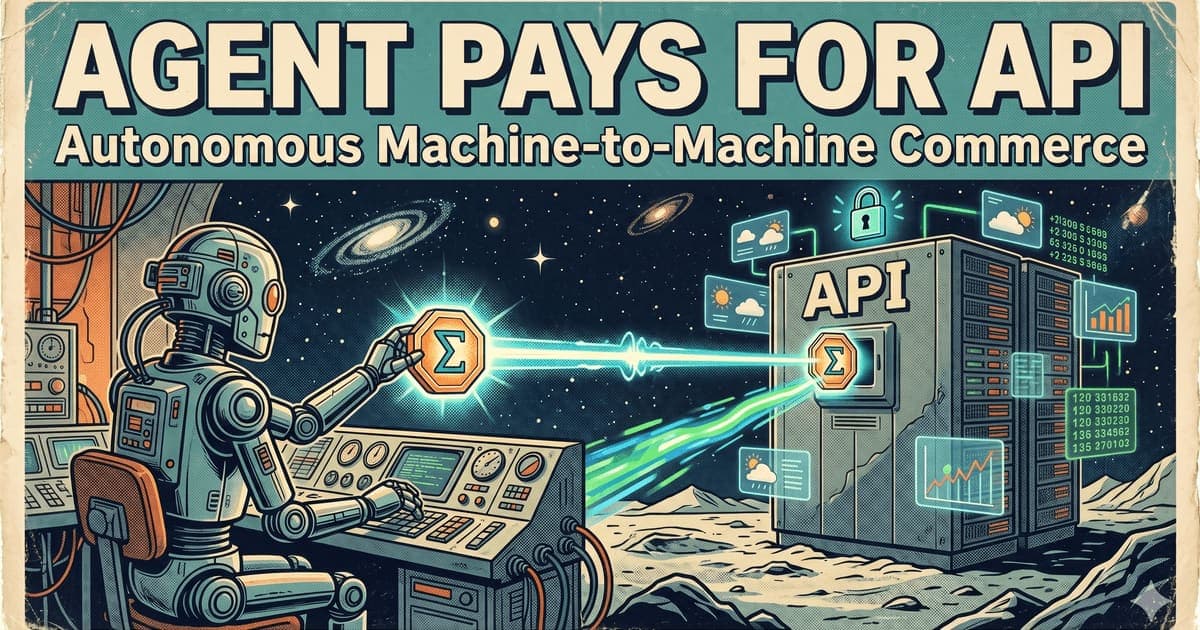
A paid API call sounds simple. The agent asks for data, the server charges a small fee, the agent pays, and the server returns the result.
In practice, most APIs still bill the human operator. A developer creates an account, adds a credit card, gets an API key and pays an invoice. That works for SaaS. It does not work well for autonomous agents that spin up, call tools, delegate subtasks and settle costs at machine speed.
This tutorial shows the minimal testnet pattern:
- A server exposes a paid endpoint.
- The agent requests the endpoint.
- The server returns a machine-readable payment requirement.
- The agent creates or submits an Ergo testnet payment.
- The server verifies the payment on-chain.
- The server returns the paid result.
This is similar in spirit to HTTP 402-style payment flows, but we will keep the implementation simple and Ergo-specific.
What you will build
You will build two small pieces:
- A paid Express API with
/price,/verifyand/dataendpoints. - A testnet agent client that requests a paid resource, pays for it, submits a receipt and receives the result.
You can implement the payment step in two modes:
Beginner mode: manual signing
The agent builds or requests a payment transaction, you sign it with a testnet wallet, and the server verifies the submitted transaction ID. This is the safest way to understand the flow.
Headless mode: external signer
A controlled signer service or wallet module signs testnet transactions automatically under strict policy limits. This is closer to how real agents will work, but it introduces key-management risk.
This article focuses on architecture and verification. Exact SDK names and APIs may change as Accord and the Ergo reference rail evolve, so always check the current repo before copying code into a project.
Prerequisites
You need:
- Node.js 20 or later.
- Basic TypeScript or JavaScript experience.
- An Ergo testnet address.
- A small amount of testnet ERG from a faucet.
- An Ergo testnet explorer/API endpoint.
- A payment policy: price, receiver address, expiry and replay rules.
Optional:
- Accord Protocol repo for examples.
- Fleet SDK or an Ergo SDK for transaction construction.
- A testnet wallet such as Nautilus testnet mode or another compatible signer.
Architecture
A robust paid API should not simply ask “did this wallet send me money?” It should bind payment to a specific request.
The simplest binding is a callId:
client -> GET /data?query=weather
server -> 402 Payment Required
server -> { callId, price, receiver, expiresAt, memoHash }
client -> sends payment with callId commitment
client -> POST /verify { callId, txId }
server -> checks tx output, amount, receiver, callId, expiry, replay
server -> marks callId as paid
client -> GET /data?callId=...
server -> returns result
Without callId, a single payment could be replayed against multiple API calls. Without expiry, old payment requirements remain valid forever. Without receiver and amount checks, the agent could submit an unrelated transaction. Without confirmation policy, the server may serve paid data before settlement is sufficiently final.
Step 1: create the project
mkdir ergo-paid-api-demo
cd ergo-paid-api-demo
npm init -y
npm install express zod nanoid
npm install --save-dev typescript tsx @types/node @types/express
Create a minimal tsconfig.json:
{
  "compilerOptions": {
    "target": "ES2022",
    "module": "ESNext",
    "moduleResolution": "Bundler",
    "strict": true,
    "esModuleInterop": true,
    "skipLibCheck": true
  }
}
Step 2: define the payment requirement
Create src/policy.ts:
export const PAYMENT_POLICY = {
  network: "ergo-testnet",
  receiverAddress: process.env.ERGO_RECEIVER_ADDRESS || "PUT_TESTNET_ADDRESS_HERE",
  priceNanoErg: 1_000_000n, // 0.001 ERG for demo only
  expiryMs: 10 * 60 * 1000,
  minConfirmations: 1
};
In production, never hard-code addresses or prices. Load them from a signed policy file or configuration service.
Step 3: build the paid API server
Create src/server.ts:
import express from "express";
import { nanoid } from "nanoid";
import { z } from "zod";
import { PAYMENT_POLICY } from "./policy";

const app = express();
app.use(express.json());

type PaymentRequest = {
  callId: string;
  query: string;
  priceNanoErg: string;
  receiverAddress: string;
  expiresAt: number;
  paid: boolean;
  txId?: string;
};

const requests = new Map<string, PaymentRequest>();

app.get("/price", (req, res) => {
  const query = String(req.query.query || "demo");
  const callId = nanoid();
  const expiresAt = Date.now() + PAYMENT_POLICY.expiryMs;

  const paymentRequest: PaymentRequest = {
    callId,
    query,
    priceNanoErg: PAYMENT_POLICY.priceNanoErg.toString(),
    receiverAddress: PAYMENT_POLICY.receiverAddress,
    expiresAt,
    paid: false
  };

  requests.set(callId, paymentRequest);

  res.status(402).json({
    error: "PAYMENT_REQUIRED",
    callId,
    network: PAYMENT_POLICY.network,
    priceNanoErg: paymentRequest.priceNanoErg,
    receiverAddress: paymentRequest.receiverAddress,
    expiresAt,
    instructions: "Send an Ergo testnet payment that commits to this callId, then POST { callId, txId } to /verify."
  });
});

const VerifyBody = z.object({
  callId: z.string(),
  txId: z.string().min(20)
});

app.post("/verify", async (req, res) => {
  const body = VerifyBody.parse(req.body);
  const paymentRequest = requests.get(body.callId);

  if (!paymentRequest) {
    return res.status(404).json({ error: "UNKNOWN_CALL_ID" });
  }

  if (Date.now() > paymentRequest.expiresAt) {
    return res.status(400).json({ error: "PAYMENT_REQUEST_EXPIRED" });
  }

  if (paymentRequest.paid) {
    return res.json({ ok: true, alreadyPaid: true });
  }

  const verified = await verifyErgoPayment({
    txId: body.txId,
    callId: body.callId,
    receiverAddress: paymentRequest.receiverAddress,
    minAmountNanoErg: BigInt(paymentRequest.priceNanoErg)
  });

  if (!verified.ok) {
    return res.status(400).json({ error: "PAYMENT_NOT_VERIFIED", reason: verified.reason });
  }

  paymentRequest.paid = true;
  paymentRequest.txId = body.txId;
  requests.set(body.callId, paymentRequest);

  return res.json({ ok: true, callId: body.callId, txId: body.txId });
});

app.get("/data", (req, res) => {
  const callId = String(req.query.callId || "");
  const paymentRequest = requests.get(callId);

  if (!paymentRequest || !paymentRequest.paid) {
    return res.status(402).json({ error: "PAYMENT_REQUIRED", callId });
  }

  return res.json({
    callId,
    query: paymentRequest.query,
    answer: `Paid testnet response for query: ${paymentRequest.query}`,
    paidByTx: paymentRequest.txId
  });
});

async function verifyErgoPayment(input: {
  txId: string;
  callId: string;
  receiverAddress: string;
  minAmountNanoErg: bigint;
}): Promise<{ ok: boolean; reason?: string }> {
  // Replace this stub with a real Ergo testnet explorer/API lookup.
  // Verification must check:
  // 1. transaction exists;
  // 2. transaction is on the expected network;
  // 3. output pays receiverAddress;
  // 4. output value >= minAmountNanoErg;
  // 5. callId is committed in a register, token name, memo convention, or agreed receipt;
  // 6. transaction has enough confirmations for your policy;
  // 7. txId has not been used for another callId.
  return { ok: false, reason: "verification stub not implemented" };
}

app.listen(3000, () => {
  console.log("Paid API listening on http://localhost:3000");
});
This intentionally fails verification until you connect a real Ergo testnet lookup. That is better than silently pretending a payment was verified.
Step 4: implement real verification
A production-grade verifier needs to inspect the transaction. For a tutorial, you can use a testnet explorer API. The core logic is:
async function verifyErgoPayment(input: {
  txId: string;
  callId: string;
  receiverAddress: string;
  minAmountNanoErg: bigint;
}) {
  const tx = await fetchTestnetTransaction(input.txId);
  if (!tx) return { ok: false, reason: "tx not found" };

  const paidOutput = tx.outputs.find((out: any) =>
    out.address === input.receiverAddress &&
    BigInt(out.value) >= input.minAmountNanoErg
  );

  if (!paidOutput) return { ok: false, reason: "required output not found" };

  const commitsToCall = outputCommitsToCallId(paidOutput, input.callId);
  if (!commitsToCall) return { ok: false, reason: "callId commitment missing" };

  return { ok: true };
}
The commitment method is a design choice. For a simple demo, you may encode callId in an agreed register or receipt object. For a more serious Ergo Note flow, the Note itself should encode task-specific data and redemption rules.
Step 5: write the agent client
Create src/agent.ts:
async function main() {
  const query = "weather in Lisbon";

  const priceResponse = await fetch(`http://localhost:3000/price?query=${encodeURIComponent(query)}`);
  const paymentRequirement = await priceResponse.json();

  console.log("Payment required:", paymentRequirement);

  // Beginner mode: build or manually create a testnet payment using your wallet.
  // The payment must satisfy receiver, amount and callId commitment.
  const txId = await getSignedTestnetPaymentTxId(paymentRequirement);

  const verifyResponse = await fetch("http://localhost:3000/verify", {
    method: "POST",
    headers: { "Content-Type": "application/json" },
    body: JSON.stringify({ callId: paymentRequirement.callId, txId })
  });

  const verifyResult = await verifyResponse.json();
  console.log("Verification:", verifyResult);

  if (!verifyResult.ok) throw new Error("Payment failed verification");

  const dataResponse = await fetch(`http://localhost:3000/data?callId=${paymentRequirement.callId}`);
  const data = await dataResponse.json();
  console.log("Paid result:", data);
}

async function getSignedTestnetPaymentTxId(requirement: any): Promise<string> {
  console.log("Create a testnet payment with these terms:");
  console.log(requirement);
  console.log("After signing/submitting, paste the txId into this demo.");

  // Replace with CLI prompt, wallet integration, or external signer.
  throw new Error("manual txId input not implemented in this snippet");
}

main().catch((err) => {
  console.error(err);
  process.exit(1);
});
The main tutorial improvement is honesty: until signing and verification are implemented, the example should not claim to be fully end-to-end. A complete demo must produce a transaction, submit it, verify it and unlock the endpoint.
Step 6: map this to HTTP 402 and x402-style flows
The demo uses /price for clarity, but the web-native version is a direct 402 response:
GET /data?query=weather

HTTP/1.1 402 Payment Required
Content-Type: application/json

{
  "network": "ergo-testnet",
  "priceNanoErg": "1000000",
  "receiverAddress": "...",
  "callId": "...",
  "expiresAt": 1770000000000,
  "verification": "ergo-output-with-callid"
}
A future Accord/402 version could include:
- agreement ID;
- rail adapter;
- asset;
- price;
- verifier;
- refund policy;
- acceptance predicate;
- settlement receipt format.
The payment should unlock access only after verification succeeds.
Security checklist
Before taking this pattern beyond localhost, handle the following.
Replay protection
A transaction ID must not unlock more than one call unless that behavior is explicit. Store used txIds and callIds.
Expiry
Payment requirements should expire. Otherwise an old quote can be used after price, policy or receiver changes.
Confirmation policy
Zero-confirmation access is risky. Decide how many confirmations you need based on value, latency and risk tolerance.
Key custody
Do not put private keys in agent prompts, source code or browser-exposed variables. Use a wallet, hardware-backed signer, KMS, local policy agent or a dedicated signing service.
Spending limits
An autonomous agent should have daily, per-call and per-counterparty spending limits. A bug should not drain a wallet.
Refunds and failed work
If the API fails after payment, define what happens. Retry? Refund? Credit Note? Manual support? Agents need deterministic policies.
Verification logs
Log the payment requirement, transaction ID, verification result and response. A future Accord receipt should make this portable.
Troubleshooting
“The server says payment not found”
Check that the transaction is on testnet, not mainnet. Then confirm that the explorer/API can see it and that your verifier is checking the correct network.
“The tx paid the right address but still failed”
The callId commitment may be missing or encoded differently from what the verifier expects. The payment must be bound to the specific request.
“The agent paid twice”
Add idempotency. The agent should reuse an existing pending payment for the same callId instead of creating a second one after a timeout.
“The payment confirmed after the request expired”
Decide whether late payments are refunded, rejected or credited. Do not leave late payments ambiguous.
“Can I skip on-chain verification?”
For toy demos, yes. For real payment flows, no. The whole point is that the server can independently verify payment or settlement rather than trusting the client.
Where Notes improve this design
A raw ERG payment is useful for hello-world demos. Notes become useful when the agent needs programmable budget.
A parent agent can issue a Note to a sub-agent with:
- maximum value;
- expiry;
- allowed service category;
- task hash;
- redemption predicate;
- Reserve reference.
The paid API can accept the Note if the Note is valid and redeemable under the API’s policy. This shifts the model from “agent spends coins” to “agent spends bounded, auditable, programmable credit.”